Many people want to use a monitor stand. A stand helps you place your screen at the right height. It can make your desk look tidy. But, can you put any monitor on a stand? The short answer is no. Not all monitors fit every stand. Let’s learn why.
What Is a Monitor Stand?
A monitor stand is something you put your screen on. It lifts the monitor higher. This helps you see the screen better. It also helps your neck and back stay comfortable. Some stands are small and simple. Others can move up, down, or side to side.
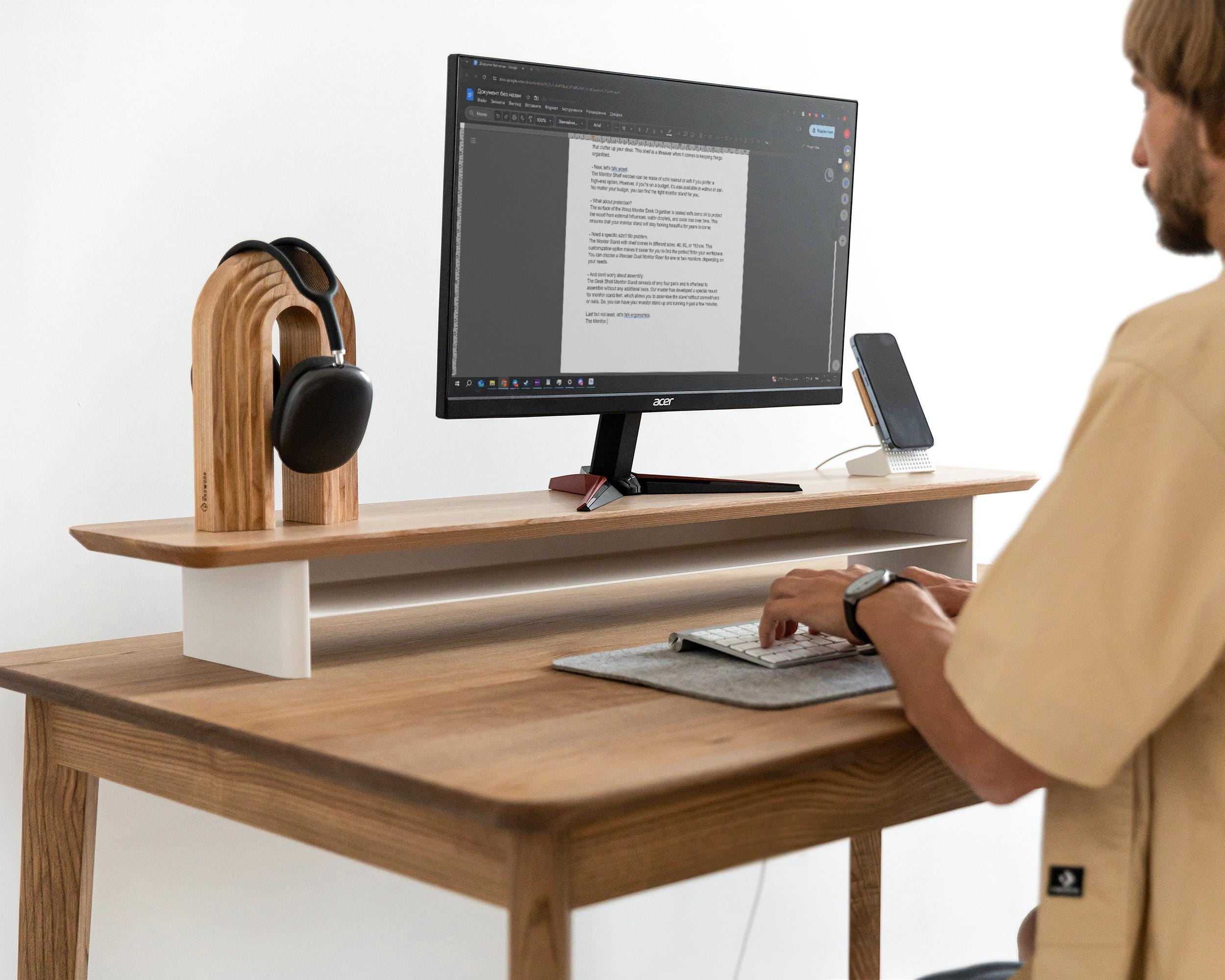
Types of Monitor Stands
- Fixed Stands: These do not move. You place the monitor and it stays there.
- Adjustable Stands: These let you change the height or angle.
- Desk Mounts: These attach to your desk with a clamp or screws.
- Arm Stands: These have arms to move your monitor in many ways.

How Do Monitor Stands Attach to Monitors?
Most stands use a system called VESA. VESA means Video Electronics Standards Association. It is a standard size and shape for mounting monitors. If your monitor is VESA compatible, it will have holes on the back.
These holes let you screw the monitor to a stand. The common VESA sizes are:
| VESA Size | Hole Distance (mm) | Common Use |
|---|---|---|
| 75 x 75 | 75 mm by 75 mm | Small monitors (up to 24 inches) |
| 100 x 100 | 100 mm by 100 mm | Medium monitors (up to 32 inches) |
| 200 x 200 | 200 mm by 200 mm | Large monitors (above 32 inches) |
If your monitor has these holes, you can use a compatible stand.
What If Your Monitor Does Not Have VESA Holes?
Some monitors do not have VESA holes. This means you cannot screw them to a stand directly. These monitors often come with their own base. You can use their base or buy an adapter.
Adapters help connect non-VESA monitors to VESA stands. But not all monitors work with adapters. Check your monitor’s brand and model before buying.
Can You Use Any Stand for Any Monitor?
Not always. You must check some things first:
- Weight: Make sure the stand can hold the monitor’s weight.
- Size: The stand should fit the monitor’s size.
- Mount Type: The stand and monitor must share the same mount type.
If your monitor is very big or heavy, a small stand might break. If your monitor has no VESA holes, a VESA stand will not fit.
How to Check Your Monitor’s Weight and Size?
Look at your monitor’s manual or box. It usually tells you the size in inches and weight in pounds or kilograms. Write this down. Next, check the stand’s description online or on the box. It will tell you the maximum size and weight it supports.
For example, if your monitor weighs 10 pounds, a stand that holds only 8 pounds is not safe. Choose a stronger stand.
How to Find Out If Your Monitor Has VESA Mount?
Look at the back of your monitor. See if there are four screw holes arranged in a square. Use a ruler to measure the distance between holes. If the holes match the VESA sizes, you can use a VESA stand.
If you do not see holes, check the manual. It will say if your monitor supports VESA mount or not.
Benefits of Using a Monitor Stand
- Better Comfort: Reduces neck and eye strain.
- More Desk Space: Frees room under your monitor.
- Better Posture: Helps you sit correctly.
- Cleaner Look: Makes your desk tidy and neat.
Common Mistakes to Avoid When Choosing a Monitor Stand
- Not checking if the monitor supports VESA mount.
- Choosing a stand that cannot hold your monitor’s weight.
- Ignoring the monitor size when buying a stand.
- Buying a stand that does not fit your desk space.
What If You Want to Use a Stand but Your Monitor Isn’t VESA Compatible?
There are options:
- VESA Adapter: A plate that sticks or clamps to your monitor.
- Universal Stands: Some stands hold monitors without mounts.
- Use the Original Stand: Sometimes the base is okay for your desk.
Adapters cost extra and may not work with all monitors. Check reviews and product details carefully.
How to Install a Monitor on a Stand?
Follow these steps:
- Turn off and unplug your monitor.
- Remove the original stand if needed.
- Align the VESA holes on the back with the stand’s screws.
- Screw the monitor firmly but do not overtighten.
- Attach the stand to your desk if needed.
- Check if the monitor is stable and secure.
Summary
Not every monitor fits every stand. The key is the VESA mount. Most stands use VESA holes to attach the monitor. Check if your monitor has these holes. Also, check the weight and size of your monitor. Choose a stand that fits these needs. If your monitor does not have VESA holes, look for adapters or special stands.
Using a stand helps you work better and feel more comfortable. But always check first. This will save you money and trouble.
Final Tips
- Always measure your monitor and desk space before buying.
- Read product details carefully for compatibility.
- Ask for help if you are unsure about installation.
- Keep your workspace safe and stable.
Now you know the basics about putting a monitor on a stand. Choose wisely for the best comfort and use.
Frequently Asked Questions
Can Any Monitor Fit On A Universal Stand?
Most monitors fit on universal stands with standard VESA mounts. Check your monitor’s back for VESA holes before buying a stand.
What Size Monitor Works Best On A Stand?
Stands support various sizes, but check weight and size limits. Smaller stands suit monitors up to 27 inches usually.
Do All Monitors Have Vesa Mount Compatibility?
Not all monitors have VESA mounts. Some budget or ultra-thin models lack VESA holes for stands.
Can Curved Monitors Be Placed On Regular Stands?
Yes, curved monitors work with many stands if VESA compatible. Confirm stand weight capacity and size fit.