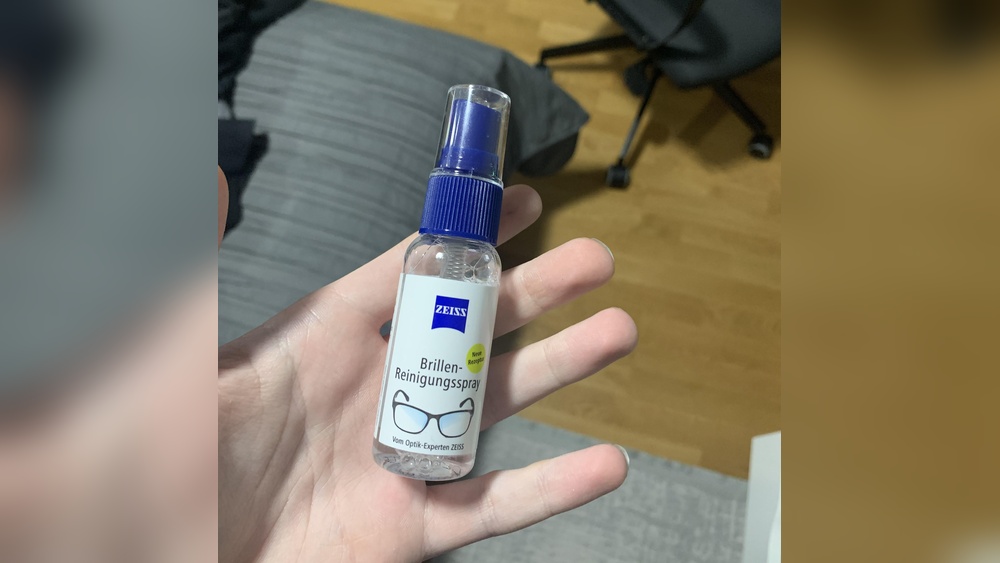
When your laptop screen looks dirty, you want to clean it. But what is the best way? Some people ask, “Can I use lens cleaning wipes on my laptop screen?” This question is common. Lens wipes clean glasses and camera lenses well. But is it safe for your laptop screen? Let’s find out.
What Are Lens Cleaning Wipes?
Lens cleaning wipes are small, soft cloths. They are wet with a special cleaning liquid. This liquid helps remove dust, fingerprints, and smudges. Lens wipes are made for delicate surfaces like glasses or camera lenses. They do not have strong chemicals.
These wipes are gentle. They do not scratch surfaces. Many people carry them in their bags for quick cleaning. They are easy to use and do not leave streaks.
What Is A Laptop Screen Made Of?
Laptop screens are usually made of glass or plastic. Some screens have a special coating. This coating helps reduce glare or protect the screen. The coating is very thin and can be damaged.
Because of this coating, you must be careful when cleaning. Using the wrong cleaner or cloth can harm the screen. It might leave marks or remove the coating.
Can Lens Cleaning Wipes Harm Your Laptop Screen?
Lens cleaning wipes are gentle but made for glass lenses. Laptop screens are different. So, can lens wipes cause harm? Sometimes yes, sometimes no.
If the lens wipes have alcohol or ammonia, they can damage the screen coating. Many lens wipes do not contain these chemicals. But some do. You should check the ingredients on the package.
Also, the wipe’s texture matters. Some lens wipes are soft enough for laptop screens. Others may be too rough and cause tiny scratches. So, it depends on the brand and type.
What Should You Do Before Using Lens Cleaning Wipes?
- Check the label: Look for any harmful chemicals like alcohol or ammonia.
- Test first: Try the wipe on a small screen corner or old device.
- Use gentle pressure: Do not press hard on the screen.
- Use wipes designed for screens: Some lens wipes mention “safe for screens.”
Being careful can save your laptop screen from damage.
How To Properly Clean Your Laptop Screen
Cleaning a laptop screen is easy if you follow these steps:
- Turn off the laptop: It helps you see the dirt better and keeps the screen safe.
- Use a soft, dry cloth: A microfiber cloth works best.
- Remove loose dust: Gently wipe the screen with the dry cloth.
- Use a cleaning solution if needed: Mix water and a little vinegar or use a special screen cleaner.
- Dampen the cloth slightly: Never spray liquid directly on the screen.
- Wipe gently: Clean in small circles or strokes.
- Let the screen dry: Wait before closing the laptop or turning it on.
Following these steps keeps your screen clean and safe.
What If You Use Lens Cleaning Wipes?
If you do not have special screen wipes, lens wipes can work.
Make sure the wipes:
- Do not contain alcohol or ammonia.
- Are soft and made for delicate surfaces.
- Are used gently on the screen.
If these conditions are met, lens wipes can clean your laptop screen without harm. But if the wipes have strong chemicals, do not use them.
Why Avoid Harsh Chemicals?
Harsh chemicals can strip the screen’s coating. This can cause:
- Screen discoloration.
- Permanent spots or marks.
- Screen damage that affects display quality.
Keeping your laptop screen safe means avoiding these chemicals.
Tips For Keeping Your Laptop Screen Clean Longer
- Wash your hands before using the laptop.
- Do not eat or drink near the laptop.
- Use a laptop cover or screen protector.
- Clean the screen regularly but gently.
- Store the laptop in a clean place.
These habits reduce dirt and fingerprints on your screen.
Summary Table: Lens Wipes vs. Laptop Screen Cleaning
| Feature | Lens Cleaning Wipes | Laptop Screen Cleaning |
|---|---|---|
| Designed For | Glasses, camera lenses | Delicate screens with coatings |
| Contains Alcohol or Ammonia? | Sometimes, check label | No, avoid harsh chemicals |
| Texture | Soft cloth, varies by brand | Microfiber or special screen cloth |
| Safe to Use on Laptop Screen? | Yes, if no harsh chemicals and gentle | Yes, with proper cleaning steps |
| Cleaning Method | Wipe directly | Dampen cloth, wipe gently |
Final Thoughts
Can you use lens cleaning wipes on a laptop screen? The answer is yes, but carefully.
Check the wipe’s ingredients. Avoid those with alcohol or ammonia. Use soft, gentle wipes only. Test on a small area first.
Better yet, use a microfiber cloth and proper screen cleaner. This keeps your laptop screen clean and safe for a long time.
Remember, your laptop screen is delicate. Treat it with care when cleaning. This helps keep your screen clear and bright.
Frequently Asked Questions
Can Lens Cleaning Wipes Damage A Laptop Screen?
Lens cleaning wipes are usually safe for laptop screens if they are alcohol-free. Harsh chemicals can harm screen coatings. Always check the wipe’s ingredients first.
Are Lens Cleaning Wipes Better Than Cloth For Laptops?
Wipes are convenient and often pre-moistened, making cleaning easier. Soft microfiber cloths are gentle and reusable. Both work well if used carefully.
How Often Should I Clean My Laptop Screen?
Cleaning once every one to two weeks is enough. Frequent cleaning can wear down the screen coating. Use gentle wipes or cloths for best results.
Can I Use Any Lens Cleaning Wipe On My Laptop?
Not all wipes are safe. Avoid wipes with alcohol, ammonia, or harsh chemicals. Look for wipes labeled safe for LCD or LED screens.
Leave a Reply